The MaSwitch toolkit

Built around the way you play.

A capable core. Six optional modules. A clear view of what’s available today.

Included

Your unified game library

One place for the games already on your PC.

Scan installed games from Steam, Epic Games, EA App, Ubisoft Connect, GOG Galaxy and Riot Games. Add custom folders or executables, filter your library, and launch through supported platform routes or game executables.

  • Search, favorites, sorting and grid or list views
  • Game details, launch diagnostics and rescan controls
  • Custom artwork and optional SteamGridDB integration

Rockstar launcher detection is available, but its games need manual import. Launching still requires the relevant launcher, account and game license. SteamGridDB artwork needs your API key.
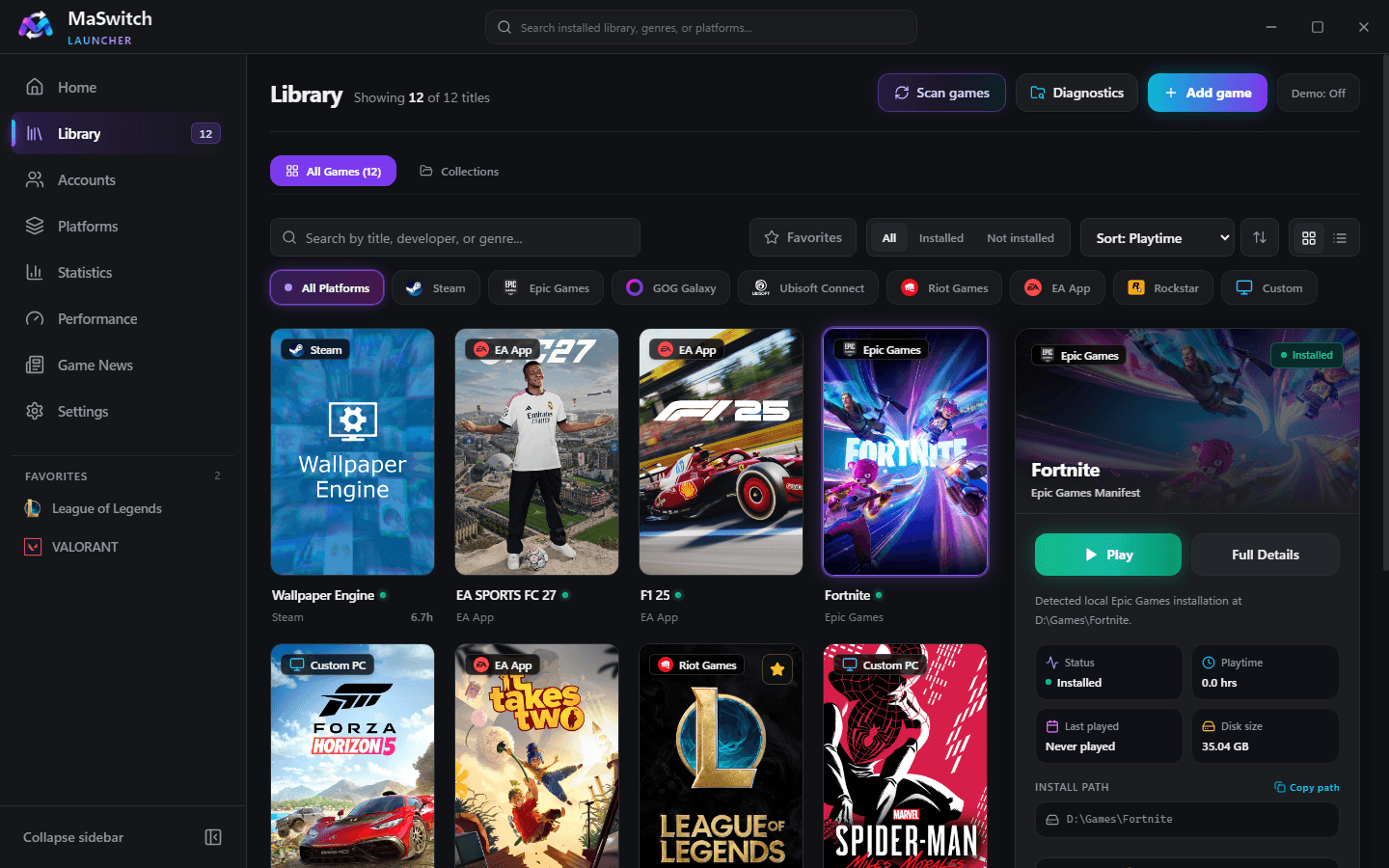
Actual MaSwitch Your unified game library interface
View full-size application capture
Included

Riot Games account management

The right account. Ready for your next session.

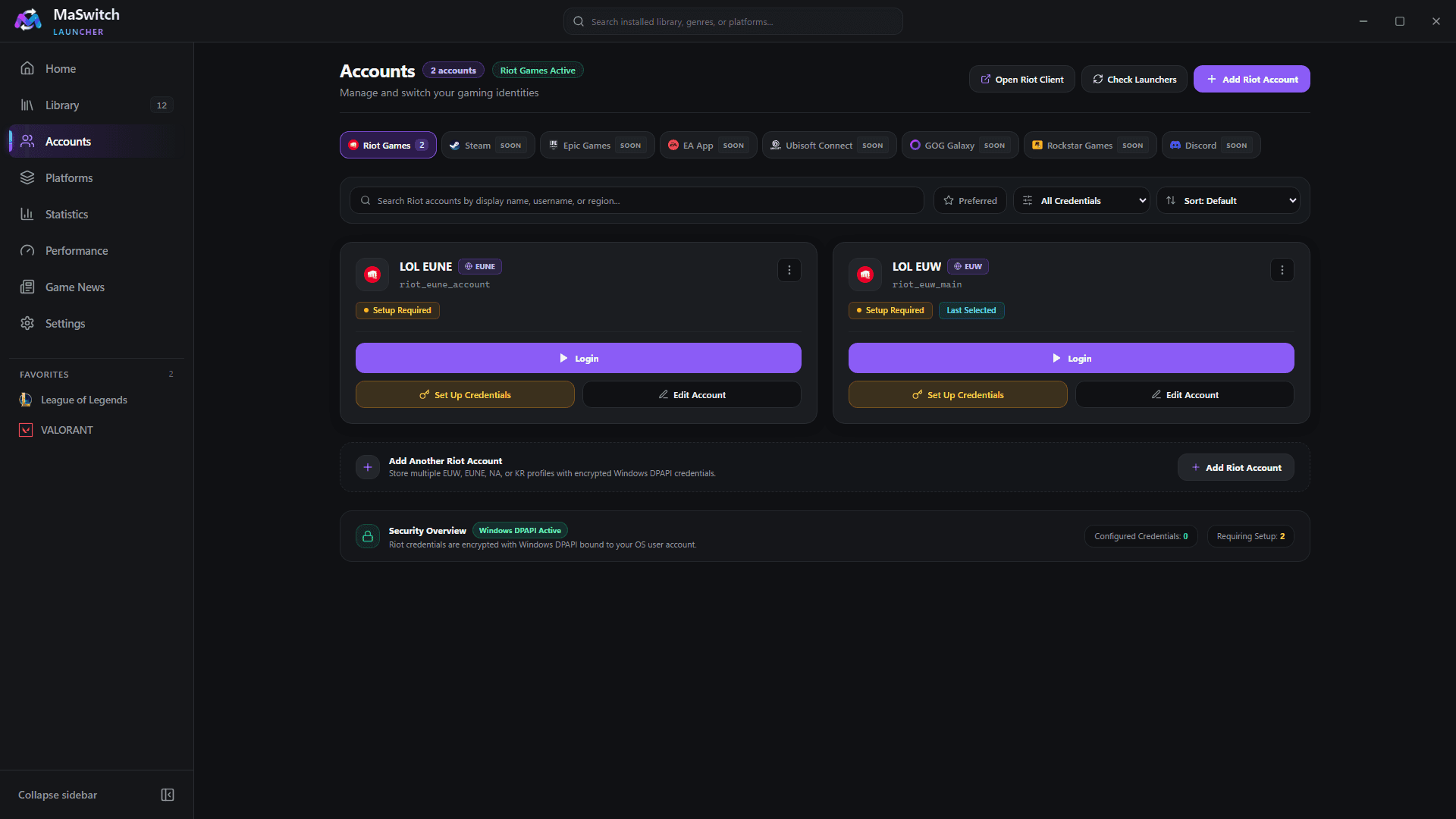
Organize Riot profiles by display name, Riot ID and region. Save credentials locally, choose a preferred account, and let MaSwitch launch or focus the official Riot Client and fill its sign-in fields. Automatic submission is optional.

  • Search, filter and favorite Riot profiles
  • Windows DPAPI credential vault
  • League of Legends, VALORANT and Teamfight Tactics workflows

Complete MFA, 2FA or CAPTCHA in the official Riot Client. Other platforms’ account management is Coming Soon. This is desktop login automation, not an authentication bypass.

Actual MaSwitch Riot Games account management interface
View full-size application capture
Included

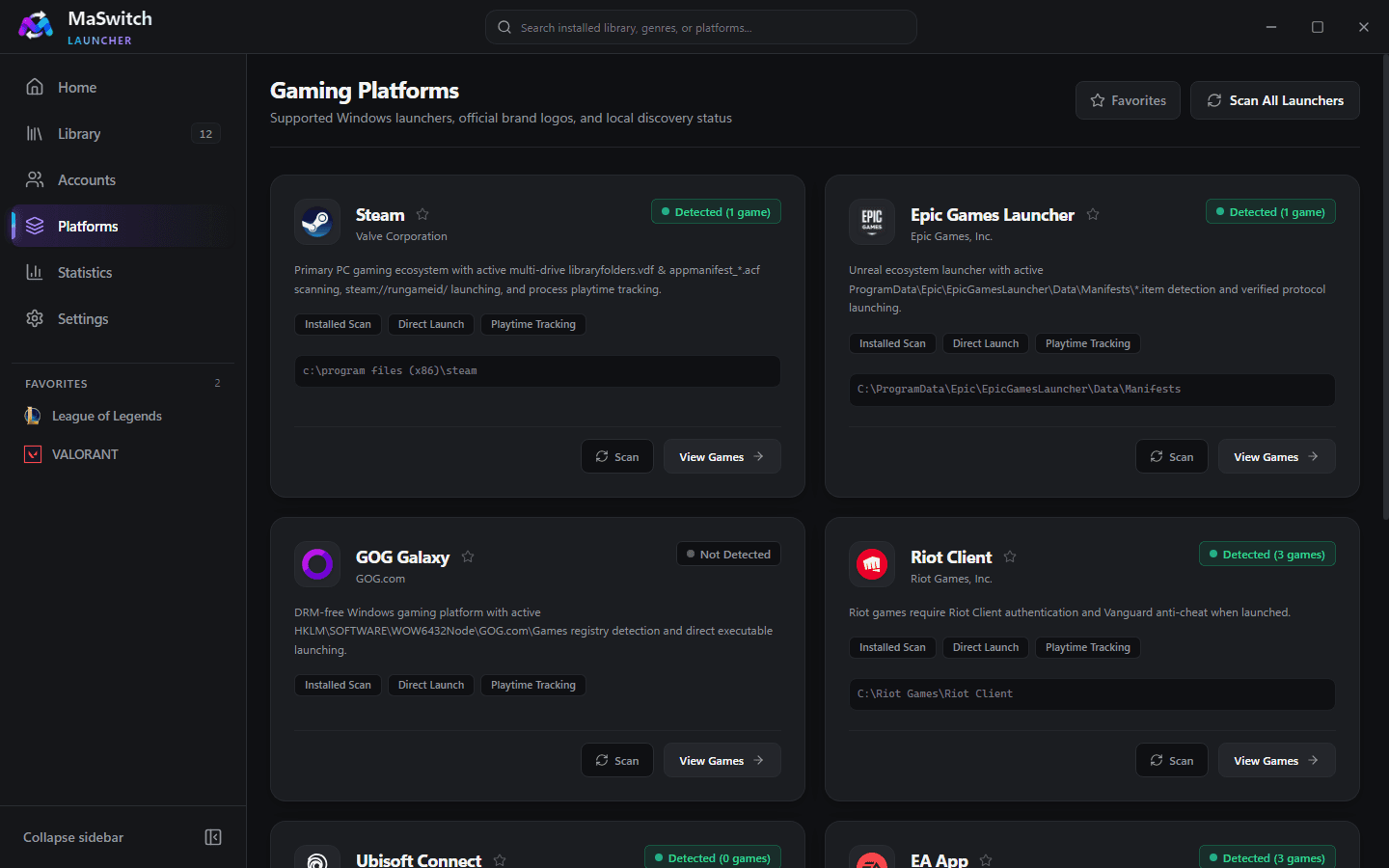
Platforms & launcher discovery

Real-time discovery status for your installed game clients.

Inspect supported Windows launchers in one dedicated view. Check launcher installation paths, official brand logos, installed game counts and capability readiness across Steam, Epic Games, Riot Games, EA App, Ubisoft Connect and GOG Galaxy.

  • Launcher presence detection across 6 major PC gaming ecosystems
  • Per-platform game counts and library filtering shortcuts
  • Favorite platforms quick filter and discovery health diagnostics

Rockstar Games launcher detection is supported, but individual games require manual import. Launching requires the official launcher and an active account.

Actual MaSwitch Platforms & launcher discovery interface
View full-size application capture
Included

Playtime & statistics

See where your gaming time goes.

Record local play sessions through process tracking, with sleep/resume handling and crash recovery. Review recent sessions, daily and weekly totals, activity history and platform breakdowns.

  • Starting, running and completed session tracking
  • Wallpaper Engine and launcher exclusions
  • Custom exclusions for future and historical records

MaSwitch needs to run to record sessions. Demo achievement counts are sample data; live achievement synchronization is not available.

Optional module

Smart Game Collections

A little order for a growing backlog.

Build manual collections or dynamic folders using platform, favorites, playtime range and installation status. Rules evaluate your local library on demand.

  • Manual and rule-based collections
  • Most Played, Recently Played and Unplayed Backlog
  • Included in the Recommended setup preset
Optional module

Memory Reducer (Mem Reduct)

Take control of your system memory before you play.

Inspired by Mem Reduct, MaSwitch’s Memory Reducer gives you fine-grained control over physical RAM. In Standard mode, it trims non-critical process working sets via Windows EmptyWorkingSet, purges priority-0 standby pages, runs physical memory page combining, and flushes registry cache buffers. In Advanced mode, you can selectively purge the system file cache or flush modified pages. An active-game lock hard-blocks cleanup whenever games are running to safeguard anti-cheat systems and eliminate in-game stutter.

  • Standard & Advanced modes with granular Windows NT memory list toggles
  • Active-game lock hard-blocks memory trimming while games run to protect anti-cheat
  • Protected process whitelist: Vanguard, Easy Anti-Cheat, BattlEye, system tasks & MaSwitch
  • Real-time RAM & pagefile readouts with configurable 3s, 5s, or 10s refresh
  • Before-and-after RAM measurement with persistent SQLite cleanup history

Available as an optional module in Complete or Custom setups; off by default in Minimal and Recommended presets. Privileged NT operations require administrator approval. Working-set trimming pages idle memory out of physical RAM without closing applications—it does not increase physical hardware capacity and does not guarantee higher FPS or lower latency. Full standby list purging can cause temporary disk re-read latency.

Actual MaSwitch Memory Reducer (Mem Reduct) interface
View full-size application capture
Optional module

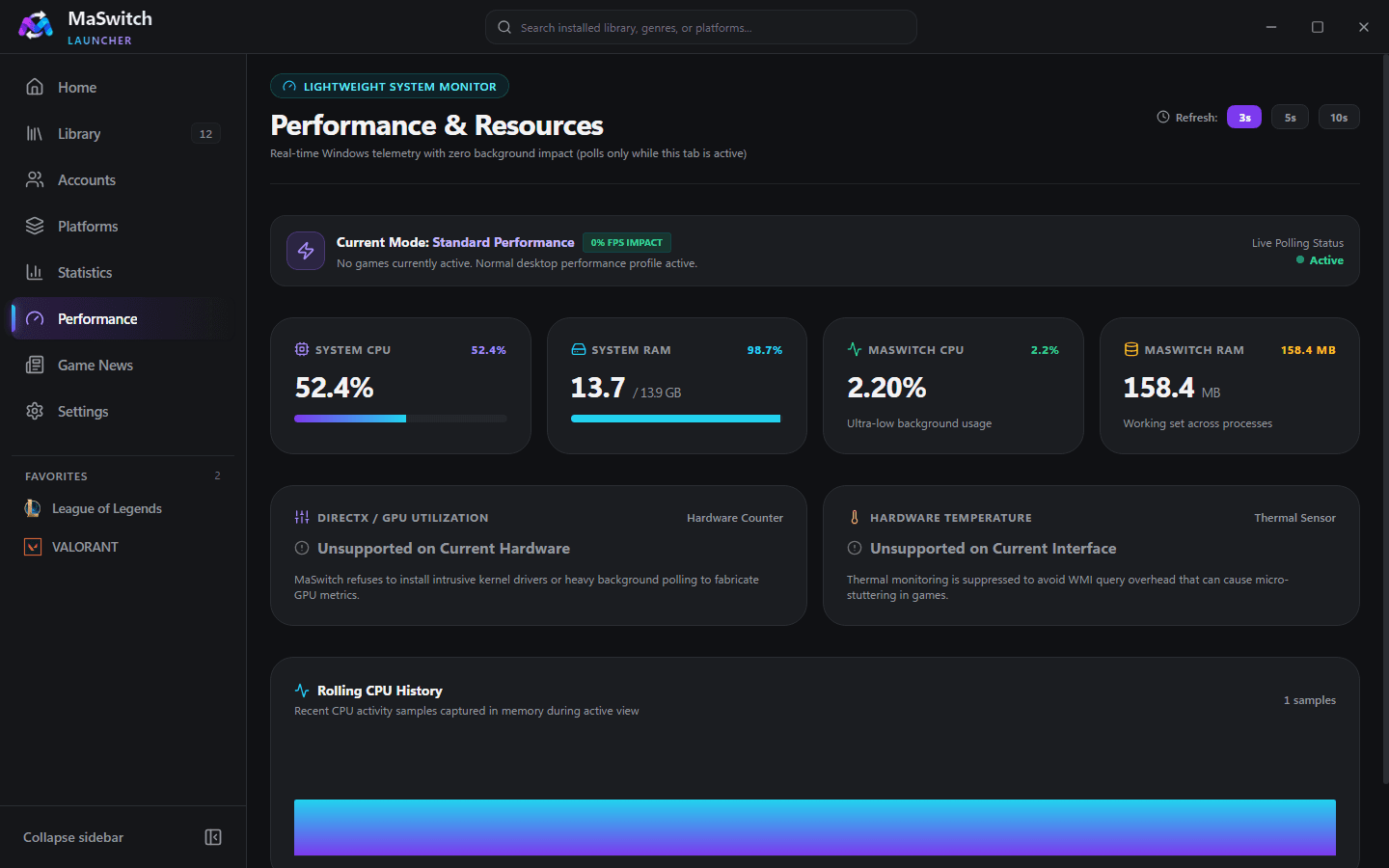
Lightweight Performance Monitor

Know what your PC is doing.

View CPU load, system RAM and MaSwitch process resource usage. Monitoring is on demand, with polling stopped when its dashboard is inactive.

  • System CPU and RAM readouts
  • MaSwitch process CPU and memory
  • Standard, game-aware and low-end mode indicators

GPU utilization and temperature sensors are currently unsupported. This is not an in-game FPS overlay.

Actual MaSwitch Lightweight Performance Monitor interface
View full-size application capture
Optional module

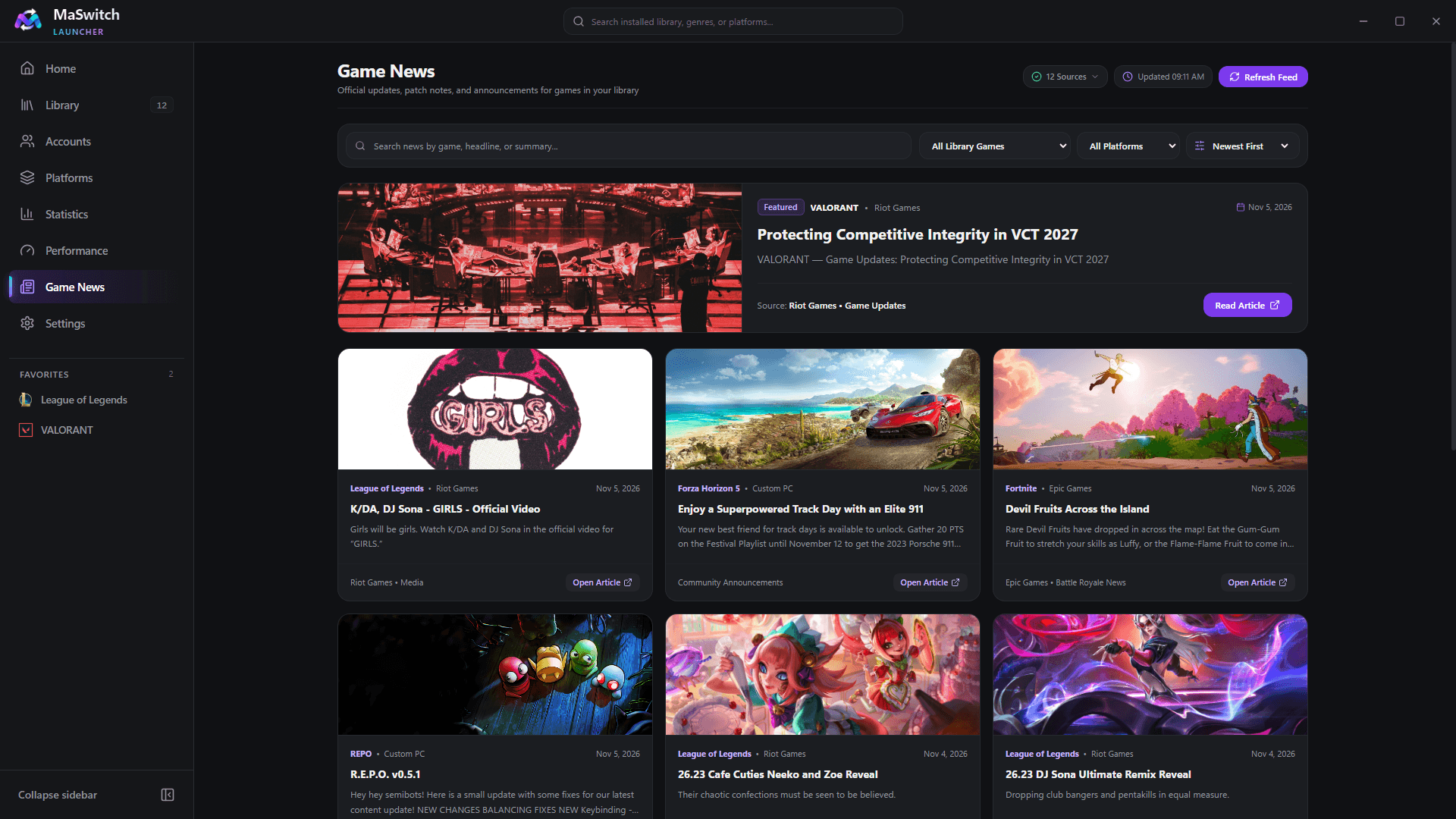
Game Updates & News

Stay in the loop with the games you play.

Find patch notes and news matched to supported library titles. Providers include Riot news pages for LoL, VALORANT, TFT and Legends of Runeterra; Fortnite-API with an Epic fallback; EA SPORTS FC pages with a Steam fallback; and Steam news for supported or mapped games.

  • Search, game/platform filters, sorting and coverage diagnostics
  • Article links open at their source
  • One-hour in-memory cache and refresh controls

Coverage varies by title and provider availability. Fortnite-API is a third-party source. Cached items can help during a connection failure within the app session; offline persistence is not guaranteed.

Actual MaSwitch Game Updates & News interface
View full-size application capture
Optional module

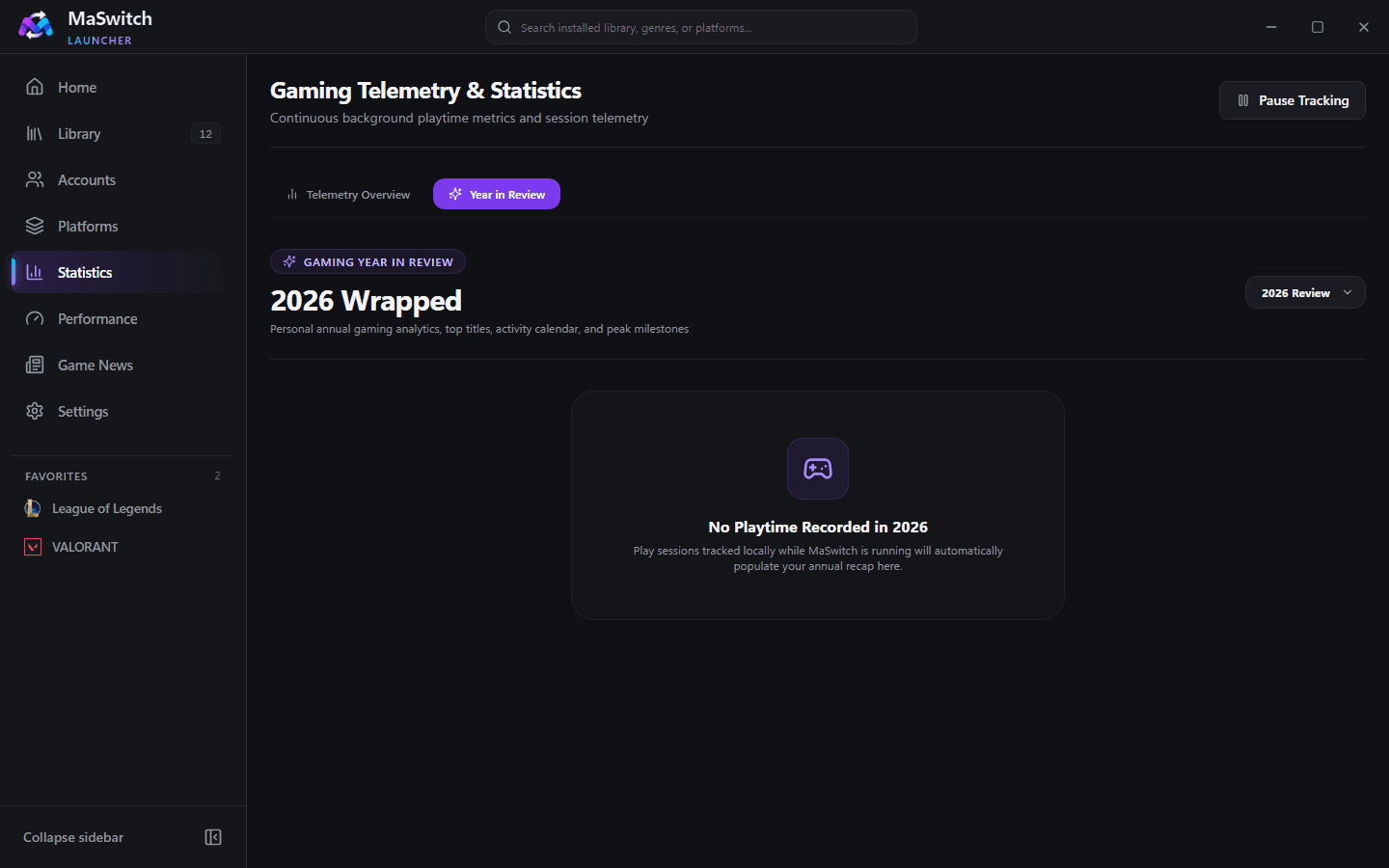
Gaming Year in Review

Your year, told through the games you played.

Turn recorded local sessions into an annual recap with a 365-day activity heatmap, top games, playtime milestones and platform distribution. Export a PNG summary card.

  • Year selection and activity trends
  • Top five games and platform breakdowns
  • Local PNG export

Recaps reflect sessions recorded by MaSwitch, not your entire historical platform activity.

Actual MaSwitch Gaming Year in Review interface
View full-size application capture
Optional module

Backup & Restore

Keep a copy of your setup.

Create versioned local JSON archives of profiles, settings, collections and playtime history. Restore validates the archive’s SHA-256 manifest and creates a safety snapshot first.

  • Local export and import
  • Integrity verification before restore
  • Included in the Recommended setup preset

Riot credential-vault secrets are excluded. Re-enter credentials after migrating. Backups contain personal metadata and are not claimed encrypted.

Included

Make MaSwitch yours

Built to fit your desktop and your routine.

Choose Dark Graphite, Deep Navy or Obsidian Contrast with five accent colors. Configure startup, tray behavior, notifications, compact cards, tracking and demo mode.

  • Low-End PC Mode reduces visual effects
  • Game-aware mode and reduced-motion settings
  • Startup and minimize-to-tray controls

Optional modules must be installed before enabling them. Re-run the installer to change installed components.

Coming Soon

More accounts, in time.

Steam, Epic Games, EA App, Ubisoft Connect, GOG Galaxy, Rockstar Games and Discord account features are not available yet. Their presence in the interface does not mean account switching is supported.

Follow real release updates
Actual MaSwitch interface showing other platforms planned for future account management
View full-size application capture

Less launcher hopping.
More time to play.

Your library, your accounts, your setup.

Download for WindowsFree & open source · Windows 10 / 11 · x64